The Complete Guide to Merging PDF Files
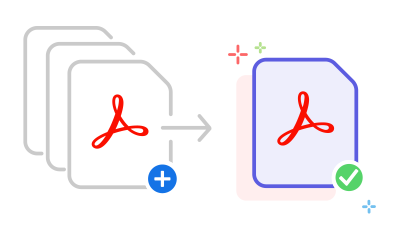
Merging PDF files is essential for organizing documents, creating comprehensive reports, and sharing multiple files as a single document. Instead of sending multiple attachments, you can combine everything into one professional PDF.
SimplePDF's free PDF merger makes combining documents incredibly simple. You can merge unlimited PDF files without any file size restrictions or watermarks.
Reordering Pages Before You Merge
One powerful feature of our merger is the ability to reorder pages before combining. After uploading your PDFs, you can drag and drop individual pages to arrange them in exactly the order you want.
Common Use Cases for Merging PDFs
- Combining scanned documents into a single file
- Creating portfolios from multiple project files
- Assembling reports from different sections
- Organizing receipts and invoices for expense reports
- Compiling research papers and references
How to Merge PDF Files with SimplePDF
- Go to the Merge PDF tool
- Upload all the PDF files you want to combine
- Drag pages to reorder them if needed
- Click 'Merge PDFs'
- Download your combined document
The merged PDF maintains the quality of all original documents. Text remains searchable, images stay crisp, and bookmarks are preserved when possible.
Frequently Asked Questions
How many PDF files can I merge at once?
SimplePDF supports merging unlimited PDF files in a single operation. There are no restrictions on the number of files or total document size.
Can I rearrange pages from different PDFs before merging?
Yes! After uploading your files, you can drag and drop individual pages to set the exact order before clicking Merge.
Will the merged PDF be the same quality as the originals?
Yes. SimplePDF combines your PDFs without re-encoding them, so text remains searchable and images retain their original quality.